From Beat Markers to Complete Beat-Synced Edits
BeatEdit does beat markers well. Onset Engine extends that concept into a full pipeline: AI-powered audio analysis, intelligent clip selection, beat-triggered VFX, and complete timeline assembly — then exports back to Premiere via .otio for final polish.
| BeatEdit + Premiere | Onset Engine | |
|---|---|---|
| What It Does | Beat detection → marker placement | Beat detection → clip selection → timeline → VFX → render |
| Clip Analysis | Not included — manual clip selection | OpenCLIP ViT-L/14 semantic analysis |
| Clip Selection | Manual — you choose every clip | AI-ranked by visual energy + driver semantics |
| Timeline Assembly | Markers only — timeline is manual | Full EDL generation on musical onsets |
| VFX | Applied separately in Premiere | Beat-triggered zoom, CA, flash, grading |
| Rendering | Through Premiere's render engine | NVENC hardware encoding |
| NLE Interop | Premiere-only plugin | .otio export to Premiere, Resolve, and more |
| Architecture | Plugin inside NLE | Standalone Python + PyTorch pipeline |
From Markers to Full Pipeline
BeatEdit solves the first step of beat-synced editing: accurately detecting beats and placing markers on a Premiere timeline. That's genuinely useful — it saves hours of manual marker placement.
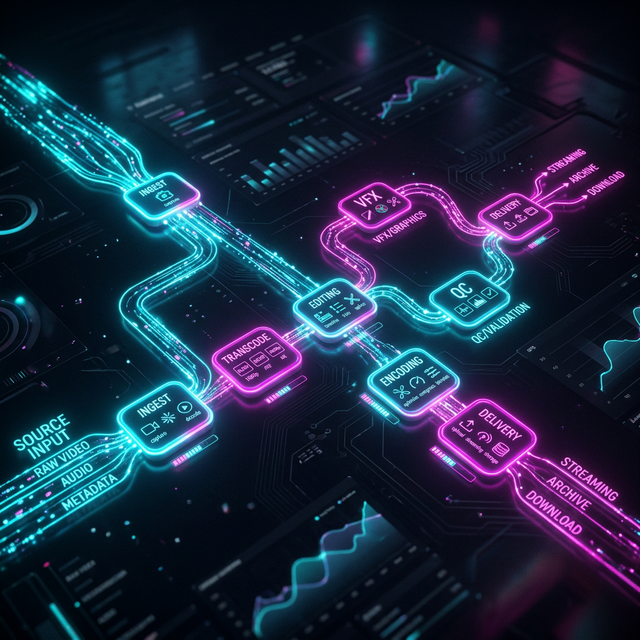
Onset Engine picks up where markers leave off and automates the rest of the pipeline:
- Audio analysis — librosa maps every onset, beat, energy curve, and section boundary
- Visual analysis — CLIP computes semantic embeddings for every clip
- Intelligent matching — high-energy clips → drops, calm clips → intros
- Timeline assembly — complete EDL with cuts placed on musical onsets
- VFX application — impact zoom, chromatic aberration, flash, grading — all beat-triggered
- Rendering — NVENC hardware encoding
- OTIO export — hand off to Premiere or Resolve for final polish

Standalone Power, NLE Finishing
Running heavy AI analysis and beat-sync processing inside an NLE's plugin sandbox means sharing memory and CPU with the host application. Standalone processing removes that constraint — Onset Engine uses its own Python process with PyTorch, so it can handle libraries of thousands of clips without competing for host resources.
When the AI has done the heavy lifting — clip selection, beat-sync alignment, VFX — the .otio export transfers the result cleanly into Premiere or Resolve. From there, you do what NLEs do best: color grade, mix audio, and add finishing touches.
It's not about replacing your NLE. It's about doing the automated work outside it, and the creative finishing inside it.
Ready to Try a Different Approach?
One-time purchase. No subscription. 100% local. All your footage stays on your machine.