The Auto AMV Maker That Actually Understands Anime
Stop manually keyframing chromatic aberration on every single snare drum. Load your episodes, select a preset, and let AI snap the best scenes directly to your track.
The Problem
Making a beat-synced AMV in Premiere or CapCut means manually placing every single cut on a beat marker. For a 3-minute Phonk track at 140 BPM, that's 420 potential cut points you need to consider. Then you keyframe the chromatic aberration, the flash frames, the zoom pulses — one by one.
That's 6–10 hours of manual labor for a single AMV. You have the vision. You shouldn't need to do the math.
The Onset Engine Solution
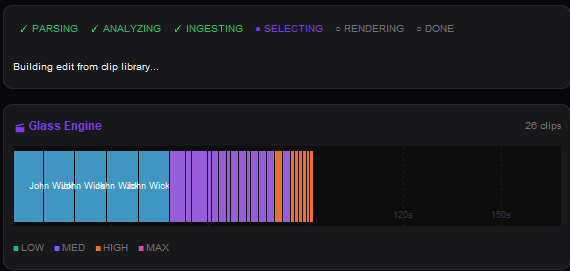
Onset Engine's AMV preset was built specifically for this. It applies glitch transitions, chromatic aberration, radial bursts, and razor-sharp beats — automatically mapped to your music's energy curve.
- ✓ AI Scene Analysis: OpenCLIP understands the difference between "character standing calmly" and "final explosion sequence" without you tagging anything
- ✓ Beat-Perfect Cuts: Every cut lands within ±200ms of a musical Onset Engine — snare hits, kicks, drops
- ✓ Energy Mapping: Calm dialogue scenes play during quiet intros. Fight scenes hit during drops
- ✓ Driver System: The v3 JSON driver lets you define tiers like "standing still" → "sword fight" → "transformation sequence"
The Workflow
Import Episodes
Point Onset Engine at a folder of anime episodes. The AI analyzes every scene, computing CLIP embeddings for semantic understanding.
Choose Your Track
Drop in your Phonk, EDM, or rock track. Onset Engine maps every beat, energy peak, and drop automatically.
Select AMV
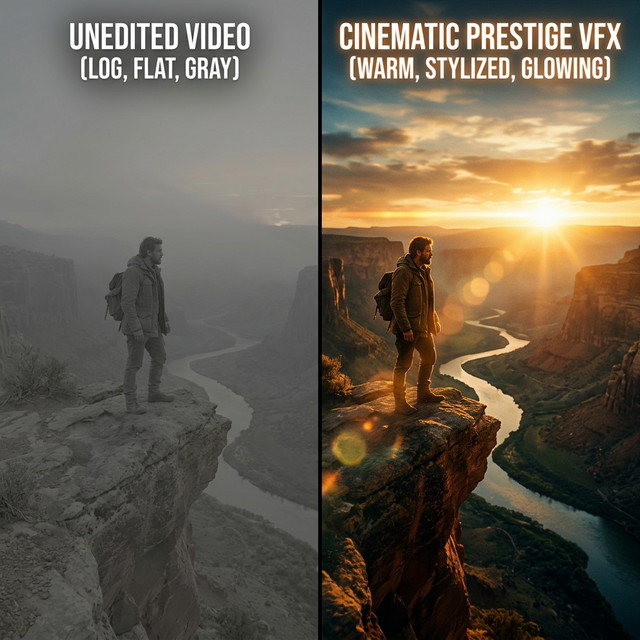
The preset configures zoom transitions, chromatic aberration, flash frames, and aggressive beat-synced pacing.
Hit Render
Onset Engine builds the full timeline, places fight scenes on drops, and renders with full VFX. Export or open in your NLE via OTIO.
Beyond Templates
Unlike CapCut templates or Premiere presets, Onset Engine doesn't just apply a visual style to random clips. The AI understands what's happening in each scene and maps it to musical intensity. A quiet piano intro gets calm establishing shots. The Phonk drop gets the final battle.
And because the entire engine runs locally, you never have to upload your favorite anime episodes to a cloud server. Your library stays on your machine.
Ready to Try It?
Download the free demo and see the results on your own footage. One-time purchase, no subscriptions.