Find Duplicate Videos, Even When the Files Differ
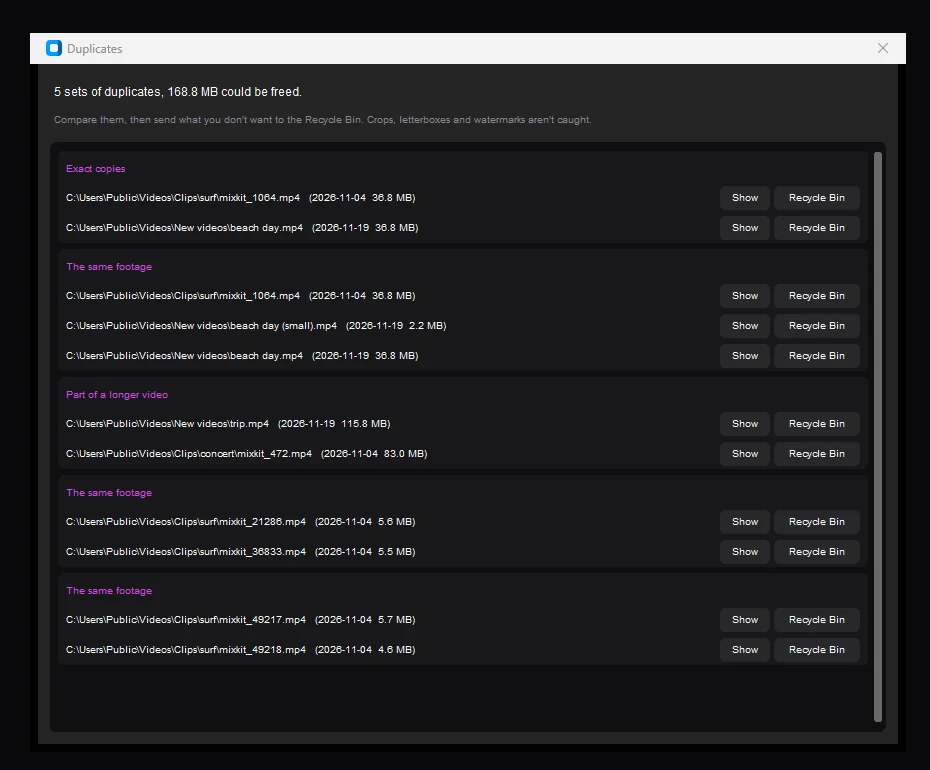
Exact copies are easy to find. The same footage exported twice, resized for a phone, trimmed or mirrored is not. Onset Engine's Library compares what your analyzed videos show, finds the sets that are the same footage, and lets you decide what to keep.
Two Kinds of Duplicate
- ✓ Exact copies of any file, found by their contents, whatever their names, anywhere in the places you keep videos
- ✓ The same footage, in videos Onset Engine has analyzed: re-encoded, resized, trimmed or mirrored
- ✓ One file that is part of another: a trimmed clip next to the full recording
The Library says how many sets it found and how much space could be freed. It tells you what it doesn't catch, too: crops, letterboxes and watermarks.
You Decide, Every Time
Onset Engine never picks a file for you. Each set shows its files side by side; Show opens one where it is, and the Recycle Bin button sends the one you don't want there, so a mistake is one restore away. A drive without a Recycle Bin is left alone.
What you remove leaves your library with it, so your next edit never reaches for a file that is gone.

The Rest of Your Library, Too
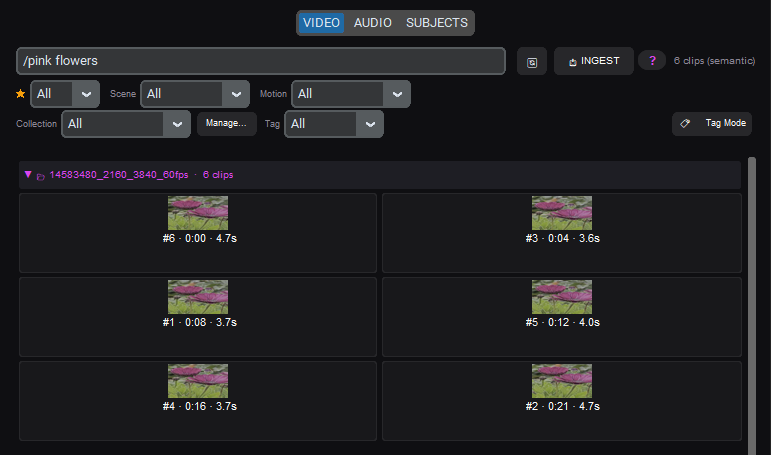
The same Library shows everything in the places you keep videos, analyzed or not. Search by name, place and date in one box, or by what a video shows. Keep a search by name and it stays current. Where else? lists the other videos showing a video's shots. Then make a video from what you found.
It all runs on your computer. Nothing is uploaded, and there is no account.
Frequently Asked Questions
How do I find duplicate videos on my PC?
Open Onset Engine's Library and press Find duplicates. It finds exact copies of any file, and in the videos it has analyzed, the same footage re-encoded, resized, trimmed or mirrored. You review each set and send what you don't want to the Recycle Bin.
Can it find similar videos that aren't exact copies?
Yes, for videos Onset Engine has analyzed: it compares what the videos show, so a copy exported at another size or quality, a trimmed copy or a mirrored one is found. Crops, letterboxes and watermarks aren't caught, and the window says so.
Will it delete anything on its own?
No. You review every set, and a file only ever goes to the Recycle Bin, where you can restore it. A drive without a Recycle Bin is left alone.
Does it upload my videos?
No. Everything runs on your computer, offline. Nothing about your videos leaves it.
Is the duplicate finder free?
The free Demo finds every duplicate and removes the first 10. Onset Studio, a one-time purchase of $79, removes as many as you like and renders your edits in full, up to 4K.
Ready to Try It?
Download the free demo and see the results on your own footage. One-time purchase, no subscriptions.