Gaming Video Editor - AI Finds Your Best Clips
You have 200GB of gameplay recordings. Somewhere in there are 30 seconds of clip-worthy moments. Onset Engine's AI motion scoring and semantic analysis find them automatically and sync them to your track - no scrubbing through hours of footage.
The Gaming Editor's Problem
Gaming content creation has a brutal footage-to-output ratio. A 3-hour session produces maybe 90 seconds of highlight-worthy gameplay. Finding those moments means scrubbing through hours of farming, loading screens, menus, and dead air.
Traditional video editors like Premiere Pro work fine once you've found the clips - but they don't help with the hardest part: finding the clips in the first place.
Cloud-based gaming editors require uploading 50–100GB of raw recordings to someone else's server. That's hours of upload time, recurring subscription costs, and your unreleased content sitting on third-party infrastructure. If you stream on Twitch, see how Onset Engine works as a Twitch VOD highlighter to extract the best moments from long broadcasts.
AI That Understands Gameplay
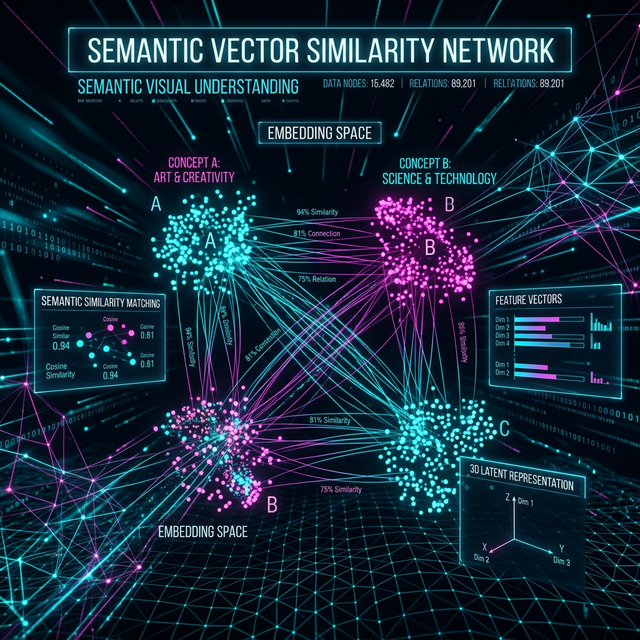
Onset Engine doesn't just detect motion - it semantically understands what's happening on screen using visual AI. It distinguishes between:
- ✓ High-action gameplay - multi-kills, explosions, fast-paced combat - ranked highest automatically
- ✓ Static moments - menus, loading screens, inventory management - ranked lowest and excluded
- ✓ Cinematic moments - environmental beauty shots, dramatic angles - matched to quieter musical sections
Combined with AI beat detection, every cut in your montage lands precisely on a musical accent. The AGGRESSIVE preset makes about three times as many cuts as Standard, some between beats, with flashes, stutters, and motion blur on the hits - the exact aesthetic that gaming montages demand.
From Raw Recordings to Montage
Import Recordings
Point Onset Engine at your gameplay recordings folder. ShadowPlay, OBS, Medal - any format. The AI indexes every frame locally.
Pick Your Track
EDM, Phonk, Lo-Fi, or whatever fits your channel's style. The audio engine maps every beat and energy curve.
Choose AGGRESSIVE
The AGGRESSIVE preset is built for gaming: very fast cuts, with flashes, stutters, and motion blur on the hits of hard-hitting, bass-heavy tracks.
Render or Export
Get a finished montage in minutes. Export .otio to Premiere or Resolve if you want to add text overlays or fine-tune.
Built for Gaming Creators
Whether you're making CS2 fragmovies, Valorant ace compilations, Fortnite montages, or streaming highlight reels - Onset Engine handles the grunt work so you can focus on the creative decisions. Check our guide on how to edit gaming and esports montages fast for workflow tips.
- ✓ 100% local - no uploading 100GB of gameplay to the cloud
- ✓ Hardware accelerated - uses your NVIDIA GPU for both AI inference and NVENC rendering
- ✓ One-time purchase - $29.99 for Core, $59.99 for Studio. No subscription, no per-render fees
- ✓ NLE export - .otio timeline to Premiere or Resolve for professional finishing
- ✓ Batch rendering - queue multiple montages with different tracks and let them render overnight
Frequently Asked Questions
What is the best free video editor for gaming?
DaVinci Resolve is the best free option for manual gaming video editing. Onset Engine offers a free demo for AI-powered montage generation - it automatically selects your best gameplay moments and syncs them to music. The full version is a one-time $29.99–$59.99 purchase.
What editor do most gamers use?
Most gaming YouTubers use Adobe Premiere Pro or DaVinci Resolve for manual editing. For automated gaming montages, Onset Engine uses visual AI to identify high-action moments (kills, clutches, highlights) and beat-sync them to your chosen music track.
How to edit gaming videos for YouTube?
Record your gameplay, import it into Onset Engine, and drop in a music track. The AI scores every frame for visual intensity and action, selects the best clips, and assembles a beat-synced montage. Export directly or send the timeline to Premiere via OTIO for final touches.
Is CapCut good for gaming videos?
CapCut works for basic trims and effects but lacks AI-powered clip selection for large gaming libraries. Onset Engine is built for the gaming montage workflow - it handles hundreds of clips, ranks them by visual intensity, and auto-syncs to music beats.
Ready to Try It?
Download the free demo and see the results on your own footage. One-time purchase, no subscriptions.