Spotify Canvas Maker - Beat-Synced Music Videos from Your Own Visuals
You produced the track - you shouldn't have to pay an animator for the video. Load a folder of aesthetic 3D loops, retro anime, or abstract visuals. Onset Engine reads your actual audio - beats, onsets, drops, and bass/mid/high energy - and curates a kinetic music video sequenced to the track. Zero animation skill required.
The Producer's Dilemma
You spent 3 weeks perfecting a beat. Now you need a Spotify Canvas (8-second looping visual), a YouTube video (full-length visualizer), and a TikTok/Reels clip to promote it. That's 3 separate video assets for every track you release.
Fiverr animators charge $200–$500 per video. Spotify Canvas generators give you generic waveforms. "Type Beat" channels need visual identity, not stock particle effects. You need visuals that actually feel like your music - and you need them for every single release.
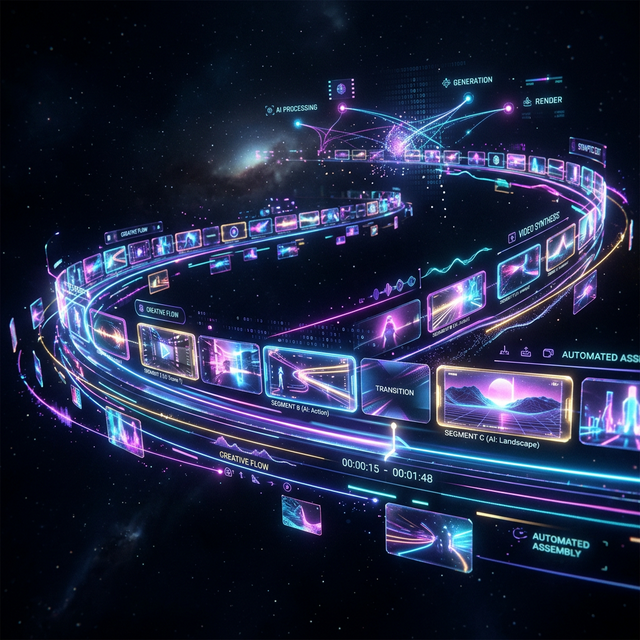
Your Visuals. Your Track. AI Sequencing.
Onset Engine doesn't generate visuals - it curates and sequences yours. Load a folder of aesthetic clips: 3D render loops, retro anime cuts, abstract motion graphics, VHS footage, glitch art. The AI reads your actual audio and sequences clips that match the energy of each section.
- ✓ Sub-Band Analysis: Beat detection maps beats, onsets, and bass/mid/high energy bands. Not just BPM - the actual rhythmic and energy structure
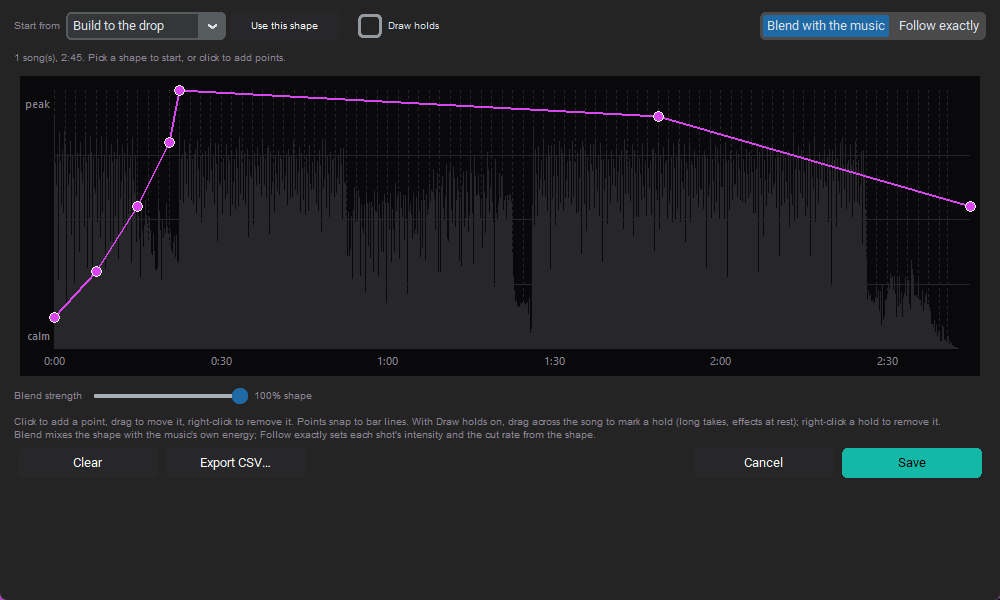
- ✓ Energy-Mapped Sequencing: Calm visuals for intros. High-motion clips for drops. Transitions land on musical onsets
- ✓ Visual Diversity: The AI avoids repeating similar visuals. Each beat gets a semantically distinct clip
- ✓ Vertical + Horizontal: Render 16:9 for YouTube and 9:16 for TikTok/Reels from the same project
The Workflow
Build a Visual Library
Collect aesthetic clips: 3D loops, anime, VHS textures, abstract motion. Ingest once - every future beat uses the same library.
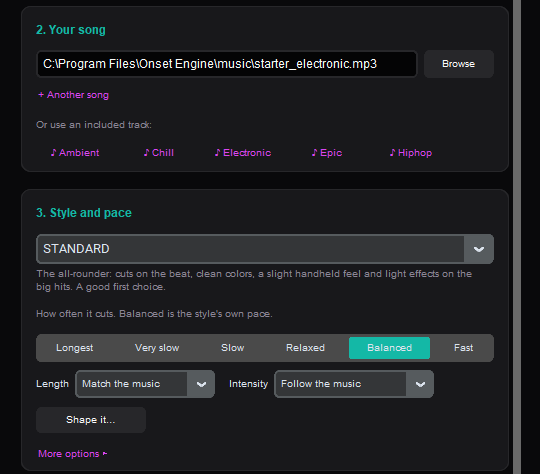
Load Your Beat
Drop your master WAV or MP3. Onset Engine maps the beats, onsets, drops, and bass/mid/high energy curve. The music drives the edit.
Choose a Preset
HYPNOSIS for dreamy lo-fi. AGGRESSIVE for trap/phonk. STANDARD for clean Type Beat visuals. SENSUAL for R&B vibes.
Render All Formats
Export 16:9 YouTube video, 9:16 TikTok clip, and crop an 8-second loop for Spotify Canvas. Three assets, one session.
Scale to Every Release
A prolific producer drops 2–4 beats per week. At $300 per animated video, that's $1,200–$2,400/month on visuals. With Onset Engine, you build your visual library once ($0 marginal cost per video) and generate unique, beat-synced visuals for every release.
The AI's understanding of each clip ensures no two videos look the same - even when using the same visual library. Different beats produce different clip selections, different sequencing, and different energy curves.
One-time $59.99 purchase. Infinite music videos. None of your visual assets leave your machine. No cloud upload. No watermarks. No subscription.
Frequently Asked Questions
Can Onset Engine create Spotify Canvas loops?
Yes. You can render a full-length music video and crop an 8-second loop segment for Spotify Canvas. The beat-synced sequencing ensures the loop transitions feel natural and rhythmically aligned.
Do I need animation skills to make music videos?
No. Onset Engine sequences your existing visual clips (3D loops, anime, abstract motion graphics, VHS footage) to match your audio automatically. The AI handles pacing, transitions, and clip diversity using AI visual analysis.
How does the AI sync visuals to my beats?
Onset Engine detects beats, onsets, downbeats, and drops, and maps bass/mid/high energy bands across the full song. It places calm visuals on quiet sections and high-motion clips on drops and builds, with cuts landing on the beat.
Can I render both horizontal and vertical formats?
Yes. From a single project you can export 16:9 for YouTube and 9:16 for TikTok and Instagram Reels. Smart Crop with face tracking keeps subjects centered in vertical crops.
Ready to Try It?
Download the free demo and see the results on your own footage. One-time purchase, no subscriptions.