Anime Video Editor - Beat-Synced Edits from Your Clip Library
Building anime edits means syncing hundreds of clips to a fast-paced track - frame by frame. Onset Engine's AI understands both the music and the visuals, automatically matching high-energy fight scenes to drops and quiet character moments to verses.
Why Anime Edits Need Specialized Tools
Anime edits and AMVs are fundamentally beat-sync problems. Every cut needs to land on a kick, every transition should match a drop, and the visual intensity has to follow the music's energy curve. In a typical 3-minute edit, that's 200+ beat-matched cuts.
In Premiere or After Effects, this means: listen to the track, place beat markers, scrub through your anime library for the right clip, trim it, place it, repeat 200 times. A single AMV can take 20-60 hours. Our guide on how to make an AMV fast covers shortcuts for this workflow.
Onset Engine automates the entire pipeline - from beat detection to clip selection to final assembly - using AI that actually understands what's happening in each frame.

AI That Understands Anime
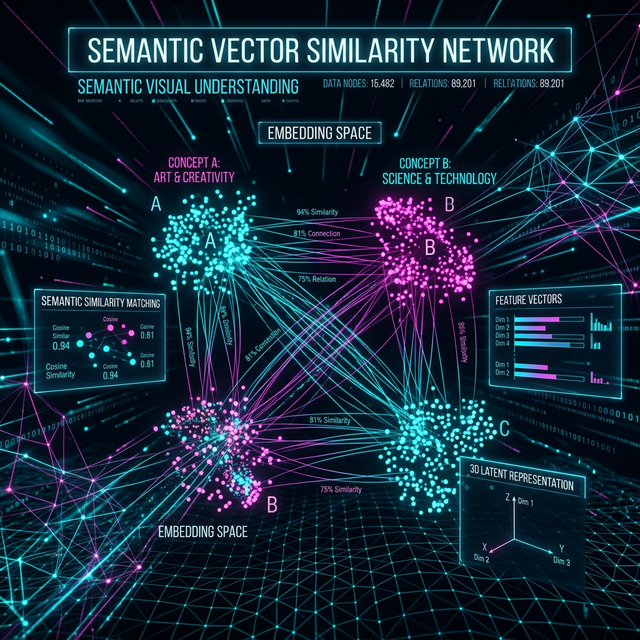
- ✓ AI Visual Understanding: The AI sees semantics, not just pixels. It distinguishes fight scenes from dialogue, action from stillness, close-ups from wide shots - and sequences them for maximum impact
- ✓ AMV Preset: Purpose-built for fast, anime-style edits. Echo trails, freeze frames, comic-panel splits, whip zooms, and motion streaks - the visual language AMV creators use
- ✓ Energy-Mapped Pacing: Calm clips for intros and build-ups. High-intensity action for drops and choruses. The edit breathes with the music automatically
- ✓ AGGRESSIVE Preset: For phonk and trap edits - about three times as many cuts as Standard, some between beats, with flashes, stutters, and motion blur on the hits
- ✓ Batch Rendering: Generate multiple edits with different tracks from the same clip library. Different songs produce different AMVs
Anime Edit Workflow
Build Your Library
Collect your favorite anime clips - fight scenes, character moments, landscapes. Ingest once, reuse across every edit.
Drop Your Track
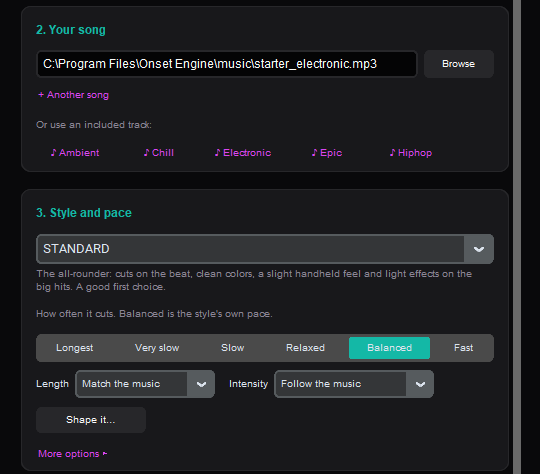
Load your song. The audio engine maps every beat, onset, energy curve, and section change in the music.
Choose Your Style
AMV preset for classic edits, AGGRESSIVE for phonk/trap, HYPNOSIS for lo-fi chill edits. Each preset controls transitions, pacing, and VFX.
Render or Refine
Export the finished edit directly, or send the timeline to Premiere/Resolve via OTIO for manual fine-tuning.
For AMV Creators Who Want to Ship Faster
Whether you're posting weekly edits to TikTok, entering AMV contests, or building a YouTube channel around anime edits - the bottleneck is always the same: manually matching clips to beats. The auto AMV maker eliminates this entirely.
Onset Engine handles the tedious assembly so you can focus on the creative decisions: which anime, which song, which emotional arc. Build your clip library once. Every new track generates a unique, beat-synced edit from the same source material.
$59.99 one-time purchase. No subscription, no watermarks, no cloud upload. Your clips stay on your machine, and your GPU does the rendering.
Frequently Asked Questions
What software do anime editors use?
Most AMV and anime editors use Adobe After Effects for VFX-heavy edits and Premiere Pro for timeline work. Onset Engine automates the most tedious part - matching clips to beats - using AI that understands both your music and your anime footage semantically.
Is there a free anime video editor?
DaVinci Resolve is a powerful free option for manual editing. Onset Engine offers a free demo to test its AI-powered anime edit generation with your own clips and music. The full version is a one-time $29.99–$59.99 purchase with no subscription or watermarks.
What app do anime TikTokers use?
Many anime TikTokers use CapCut or After Effects for short edits. Onset Engine targets creators who build edits from large anime clip libraries - its visual AI understands the content of each clip and beat-syncs them automatically, with presets designed specifically for AMV-style transitions and VFX.
How to make anime edits faster?
The biggest time sink in anime editing is manually matching clips to beats. Onset Engine eliminates this step entirely - the AI maps every beat in your track, scores your clips by visual content and intensity, then sequences them automatically. A 3-minute edit that takes 20+ hours manually is done in minutes.
Ready to Try It?
Download the free demo and see the results on your own footage. One-time purchase, no subscriptions.