VJ Software - Audio-Reactive Live Video Mixing
Plug your laptop into a projector, load your track, and hit DJ Mode - Onset Engine mixes your video library to the beat grid in real-time while you steer it live. Hit 'H' for Hype Mode before the drop.
The VJ's Problem
Professional VJ software like Resolume Arena costs $399+, requires complex layer management, and often stutters on mid-range hardware. If you're a live performer, event organizer, or club VJ who just wants to play visuals that react to music, you need something faster and simpler.
You have thousands of video clips. You have a music source. You just need the clips to switch on beat, match energy, and look incredible - without manually coding MIDI triggers.
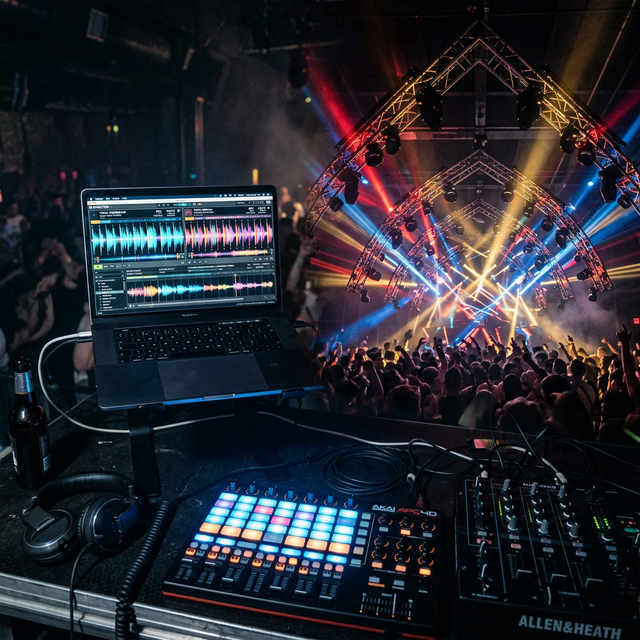
DJ Mode: Zero-Latency Live Mixing
Onset Engine's DJ Mode uses hardware-decoded MPV playback for gapless clip switching. A background conductor thread monitors the music's beat position and queues the next clip before the current beat boundary - ensuring perfectly synchronized transitions every time.
- ✓ Gapless Playback: Hardware-decoded MPV switches clips with zero black frames
- ✓ Beat-Synced: Clips switch precisely on the beats AI beat detection finds in your track
- ✓ Energy Matching: The AI selects calm clips during intros and high-intensity clips during drops
- ✓ Hype Mode: Press 'H' before a drop to force maximum-intensity clip selection
- ✓ Tier Lock: Press 1–4 to lock the intensity tier for manual override
- ✓ Session Recording: Every set is logged as an EDL for later re-rendering at full quality
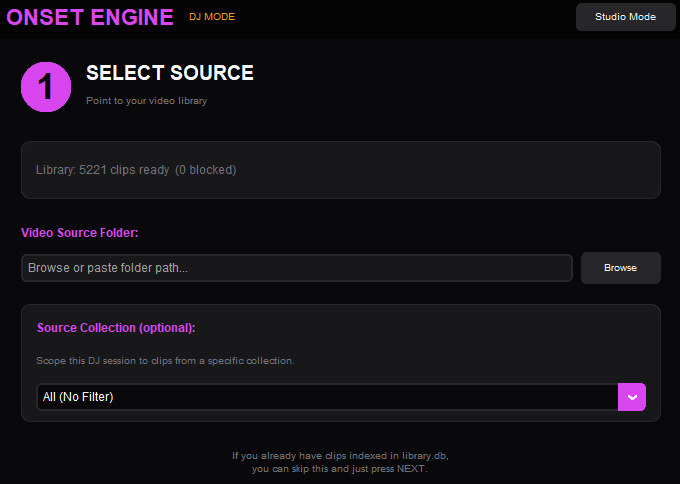
How It Works Live
Load Your Library
Ingest your visual clips. Onset Engine builds a searchable fingerprint of every scene in your collection.
Choose a Track
Select a music file. Onset Engine detects BPM, beats, and energy automatically.
Go Live
Connect to a projector or second display. Press play. Clips switch on beat, matched to musical energy.
Perform
Use keyboard shortcuts to adjust energy bias, lock tiers, trigger hype mode, or skip clips on the fly.
Why Not Resolume?
Resolume is an incredible tool for professional VJs who need multi-layer compositing, MIDI controller support, and real-time effects chains. But not every performer needs that level of complexity.
If your primary need is "play visuals that react intelligently to music with zero setup", Onset Engine's DJ Mode delivers that experience for a fraction of the cost - with the added bonus of AI scene understanding that Resolume doesn't have.
| Feature | Onset Engine DJ Mode | Resolume Arena |
|---|---|---|
| Price | $59.99 one-time | $399+ |
| AI Scene Matching | ✓ Visual AI | - |
| Setup Time | ~2 minutes | Hours |
| Multi-Layer Compositing | - | ✓ |
| MIDI Controller | - (keyboard) | ✓ |
| Offline / No License Server | ✓ | Requires activation |

Frequently Asked Questions
Can I use Onset Engine as live VJ software at events?
Yes. DJ Mode provides real-time, beat-synced video mixing with hardware-decoded MPV playback for gapless clip transitions - zero black frames between clips. Connect to a projector or second display via HDMI, press play, and perform live using keyboard shortcuts. Press 'H' to trigger Hype Mode before a drop (forces maximum-intensity clip selection), or press 1–4 to lock a specific energy tier for manual override. The conductor thread monitors beat position and pre-queues the next clip before each beat boundary, ensuring perfectly synchronized transitions without manual cuing.
Does DJ Mode require an internet connection during a live set?
No. Onset Engine runs offline after a one-time setup (license activation and an AI model download on first use). Your clip library is stored locally in a database on your computer, along with the AI's analysis of each clip, and all beat detection and clip selection happen on your local hardware with zero cloud dependency. Clips play from your own drives and every effect runs on your GPU, so nothing streams from the internet during a set. This makes it suitable for festival stages, warehouse venues, and any environment where internet connectivity is unreliable or unavailable. You can prepare and perform an entire set without any network connection.
How does the software select which clips to play during a live set?
During ingest, Onset Engine's visual AI builds a searchable fingerprint of every clip in your library, along with a motion score that measures visual dynamism from 0.0 to 1.0. When you load a track, beat detection maps its BPM, beat boundaries, and energy contour; during playback the conductor matches clip energy to that musical intensity live - calm visuals play during intros and breakdowns, while high-motion, high-energy clips fire on drops. The selection algorithm also avoids repeating recently played clips, keeping the visual mix fresh across long sets.
Can I record a DJ Mode session for later use?
Yes. Every DJ Mode set is automatically logged as an EDL (Edit Decision List) that records exactly which clips played, at what timestamps, and with what transitions. After the event, you can re-render the entire session at full quality - including 4K resolution and all cinematic VFX like impact zooms and chromatic aberration - without replaying it in real time. You can also export the session timeline via OpenTimelineIO (OTIO) to import into DaVinci Resolve or Premiere Pro for color grading, title overlays, and final polish before publishing.
Ready to Try It?
Download the free demo and see the results on your own footage. One-time purchase, no subscriptions.